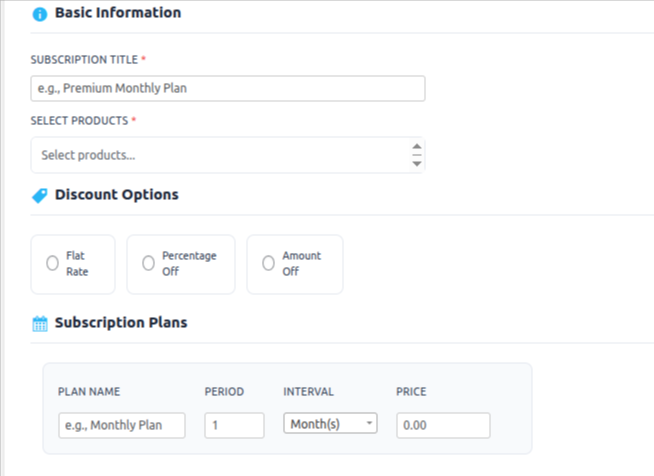
In the Bulk Subscription section, you can easily create multiple subscriptions at once for various products, eliminating the need to create individual subscription plans for each product. Follow these simple steps to set up bulk subscriptions for your WooCommerce store:
Once all settings are configured, save the subscription plan.
Create Subscription:
Title your subscription plan appropriately for easy identification.
Select Products:
Choose the WooCommerce products you want to include in the subscription plan.
Discount Options:
Select a discount type (flat rate, percentage, or specific amount) to apply to the bulk subscription.
Plan Details:
Set the name of the subscription plan.
Define the duration (e.g., weekly, monthly).
Choose the renewal frequency (e.g., daily, weekly, monthly).
Set the price for the subscription plan.
Final Steps:
Add any additional details as needed.