
There are two ways to install the ReorderRe Subscriptions for WooCommerce plugin:
- Automatic Installation:
Automatic installation is the easiest option handled by WordPress.
Follow these steps for the installation:
1) Go to the Admin panel navigate to the sidebar click on the ‘Plugins’ menu > ‘Add New’.
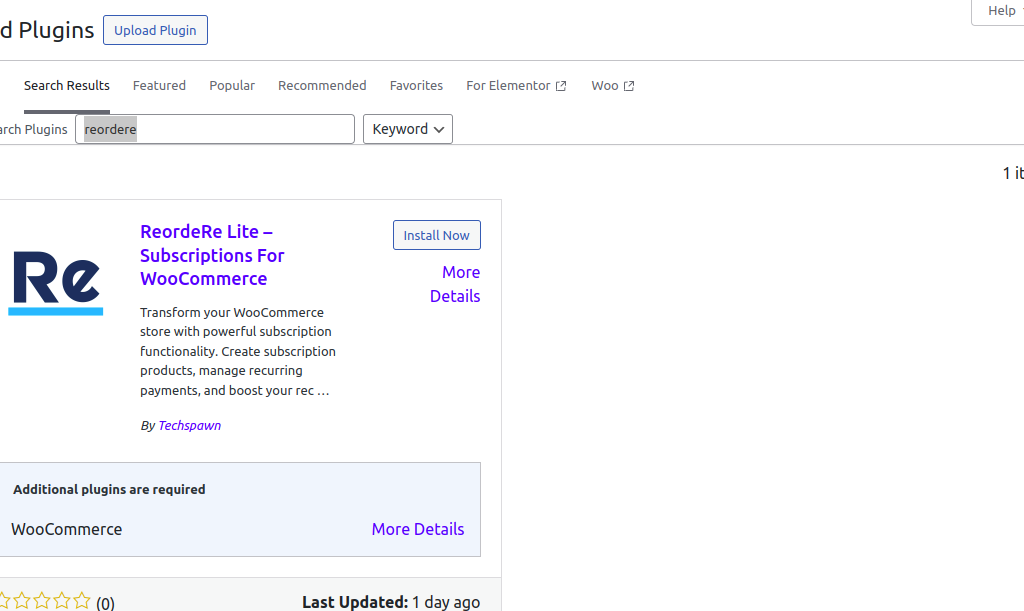
2) On the ‘Add Plugins’ page go to the search bar and type ‘reordere For WooCommerce’.Once you find ‘reordere For WooCommerce’ you can view the details about it such as the points release, rating, and description. One can install it, simply by clicking “Install Now”
2. Manual Installation:
The manual installation of the plugin is another option to install the plugin in the seller’s WordPress environment.
The manual installation method involves downloading our ‘Reordere Subscription For WooCommerce Extension and uploading it to the web server via their favorite FTP application.
The steps for manual installation are as follows:
1) Upload the ‘ Reordere Subscription For WooCommerce’ folder to the /wp-content/plugins/ directory.
2) Activate the WooCommerce Subscription plugin through the ‘Plugins’ menu in WordPress